Zones
A zone corresponds to an AOI (Area of Interest) on selected image(s). More precisely, a zone can be summarized as a list of web map tiles at a certain geographical location and specific satellite images.
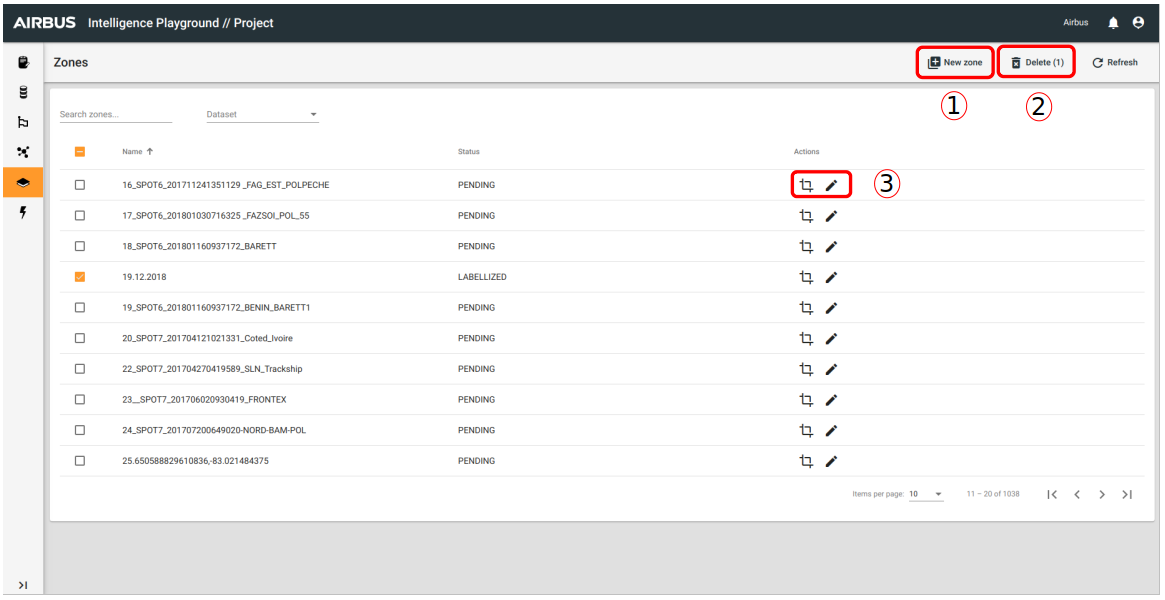
- Enables you to create a new zone.
- Enables you to delete the selected zone(s)
- Enables you to access to zone option :
- Zone Edition
- To edit zone properties : Name and description
Zone Creation
Before creation you can access to zone creation interface by zone list and you have to select the dataset where your new zone will be save.
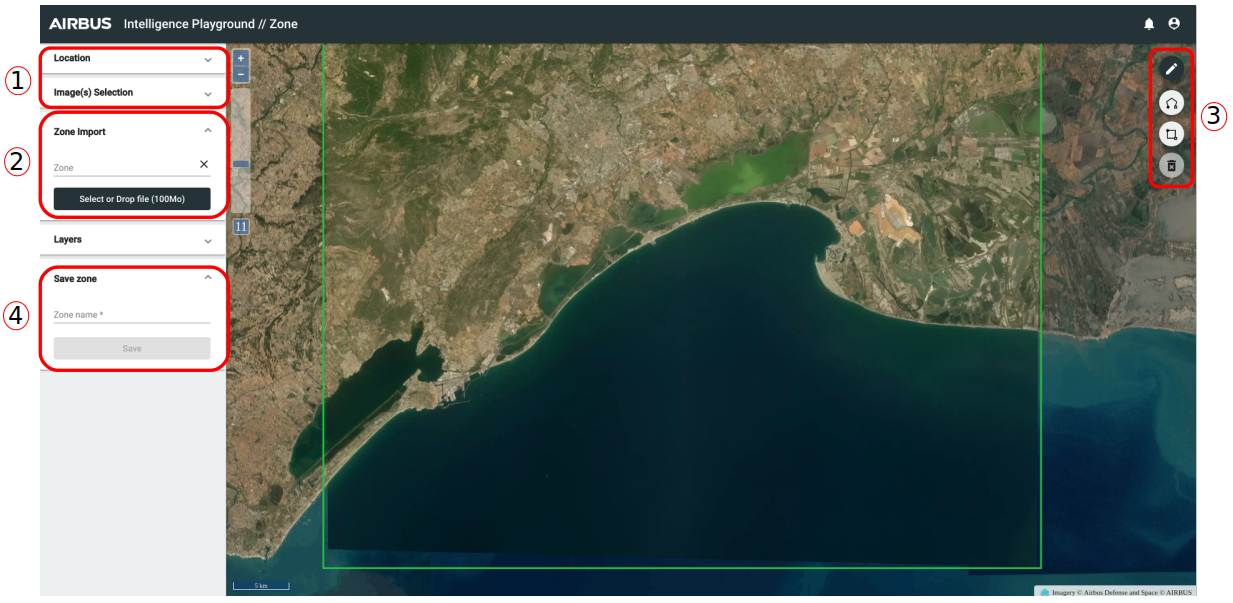
- You have to choose the location and an image (or two images for change detection) . When this step is done, you have two possibilies : import a zone or draw a zone.
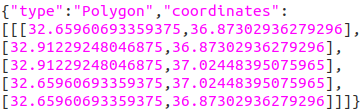
- Import a zone : For that you have to click on "Select or Drop file" and import a local GeoJSON file (max 100 Mo and one polygon). Example of GeoJSON file format for the import (keep just the geometry part) :
- Draw zone : On the map you have access to drawing zone tools :
- Draw a polygon : with several points
- Draw a rectangle : with two points
- Delete a zone
- Write a name for your zone and save it.
For zone edition, the interface is the same. It enables you to update your zone : name or geom.