Use Case
1. Ground Truth Creation
Steps to create a ground truth :
- Create a dataset
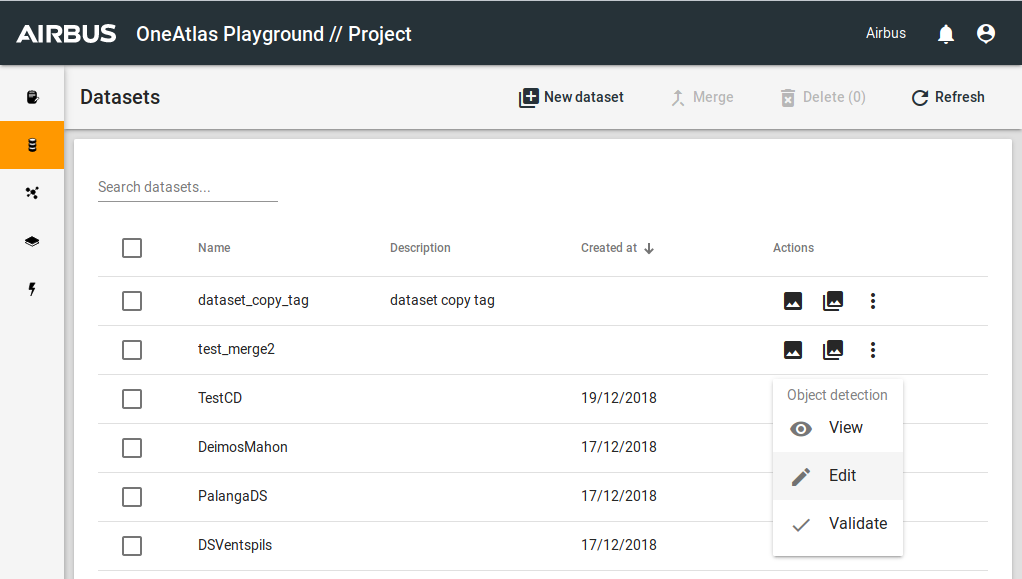
- In the Datasets list find your dataset and click on Edit
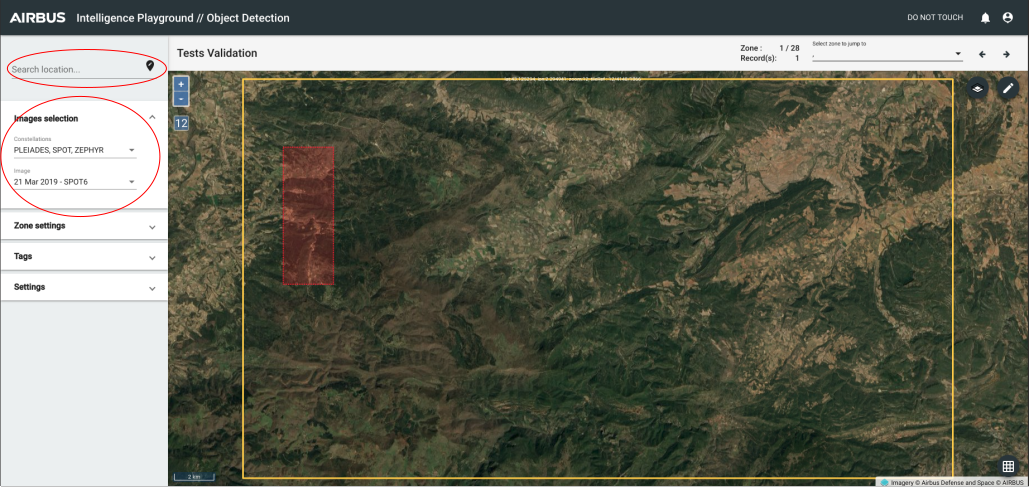
- Select a Location
- Select an Image
- Draw a zone with drawing zone tools. You can see the Dataset Page for further details.
- Select one or more tag to apply. You can see the Dataset Page for further details.
- Choose a tool in drawing feature(s). You can see the Dataset Page for further details.
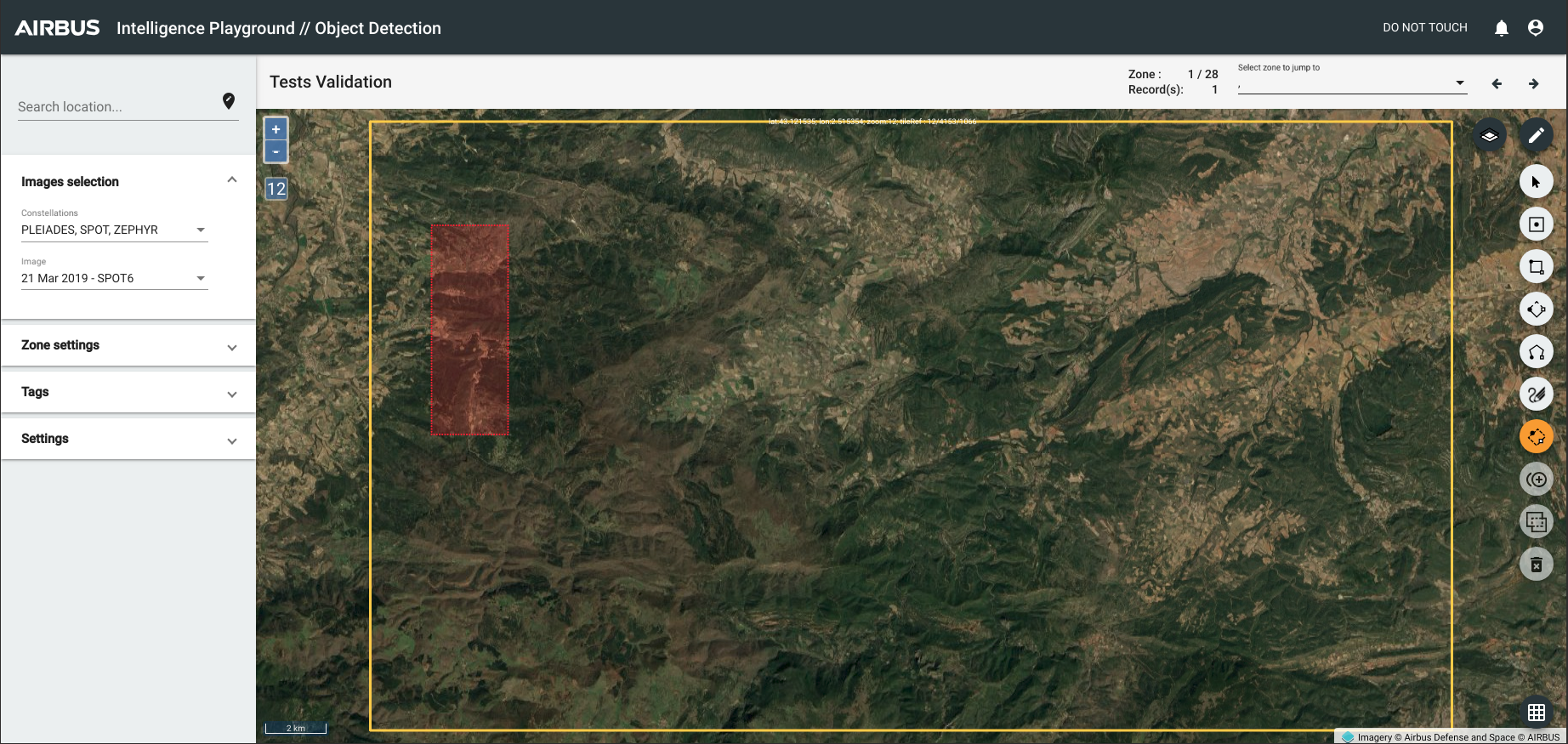
Then, you can draw all records as you want to create your ground truth.
The last step is the Validation.
If you want to rename your zone, you can see the Zone Page for further details.
2. Validation
From Dataset List or Job list
This section enables you to change the status of a record. The edition of records or zones is not possible in this interface. You can access to this function in dataset list or job list.
Validation interface :
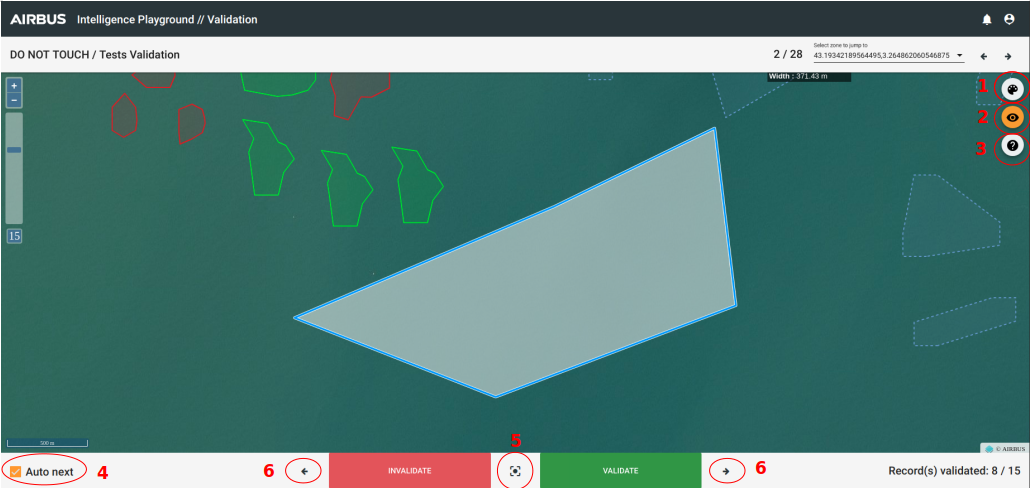
There is always one record selected. You can validate or invalidate the state of a record.The style of a valid record is green and for invalid records that's red. Some tools are given to help you for validation work :
- Color : If you want to update the color of records (without state valid or invalid) for better view.
- Selection footprint : To deactivate he selection footprint for better view.
- Shortcuts : To help you with keyboard shortcuts.
- "Auto Next" option :
- Active : to jump automatically to the following record.
- Deactive : to stay focus on the record after validation action.
- Focus : If you move on the map and if you click on this button, the map focus automatically on the selected record.
- Arrows : To jump to the following record if you deactive the "auto next" option or if you don't want to validate or invalidate the record now.
States Definitions
ADDED - for "records" manuals
PREDICTED - for "records" that created by processes
MODIFIED - if you do modifications on the structure of your record
VERIFIED - Validate, if your record has this state you can't change anything (add tag, delete tag, modify the structure of the record, delete the record...) in Edit section
INVALID - Invalidate